01 CAPTURE
Open Loops
A return. A phone call. A “don't forget.” Get it out of your head now; sort the details when you're ready.
What's on your mind?+
Return the headphones5 min
No due date required. No pressure to do it all.
 domestic circusLIFE ADMIN · LIGHTLY HELDOpen the demo ↗
Give everyday chaos a home.
The bill to remember. The form to return. That document you swear you saved. One calm space for life's loose ends—so you don't have to hold it all.
Sample workspace · No sign-up · No bank connection
NOT A PLANNER THAT ASKS YOU TO DO MORE.
A home for the things you already carry.You don't need another ambitious routine.
Just somewhere to capture it, see what's next,
and begin again when life gets messy.
A return. A phone call. A “don't forget.” Get it out of your head now; sort the details when you're ready.
Bills, renewals and the chores that come around again. Complete one occurrence; give the next one its date.
A map to warranties, policies and important files. Keep a name, location, link and review date—not the private document itself.
See what's past its date and what's coming up across tasks, recurring life and document reviews. Choose your own upcoming window.
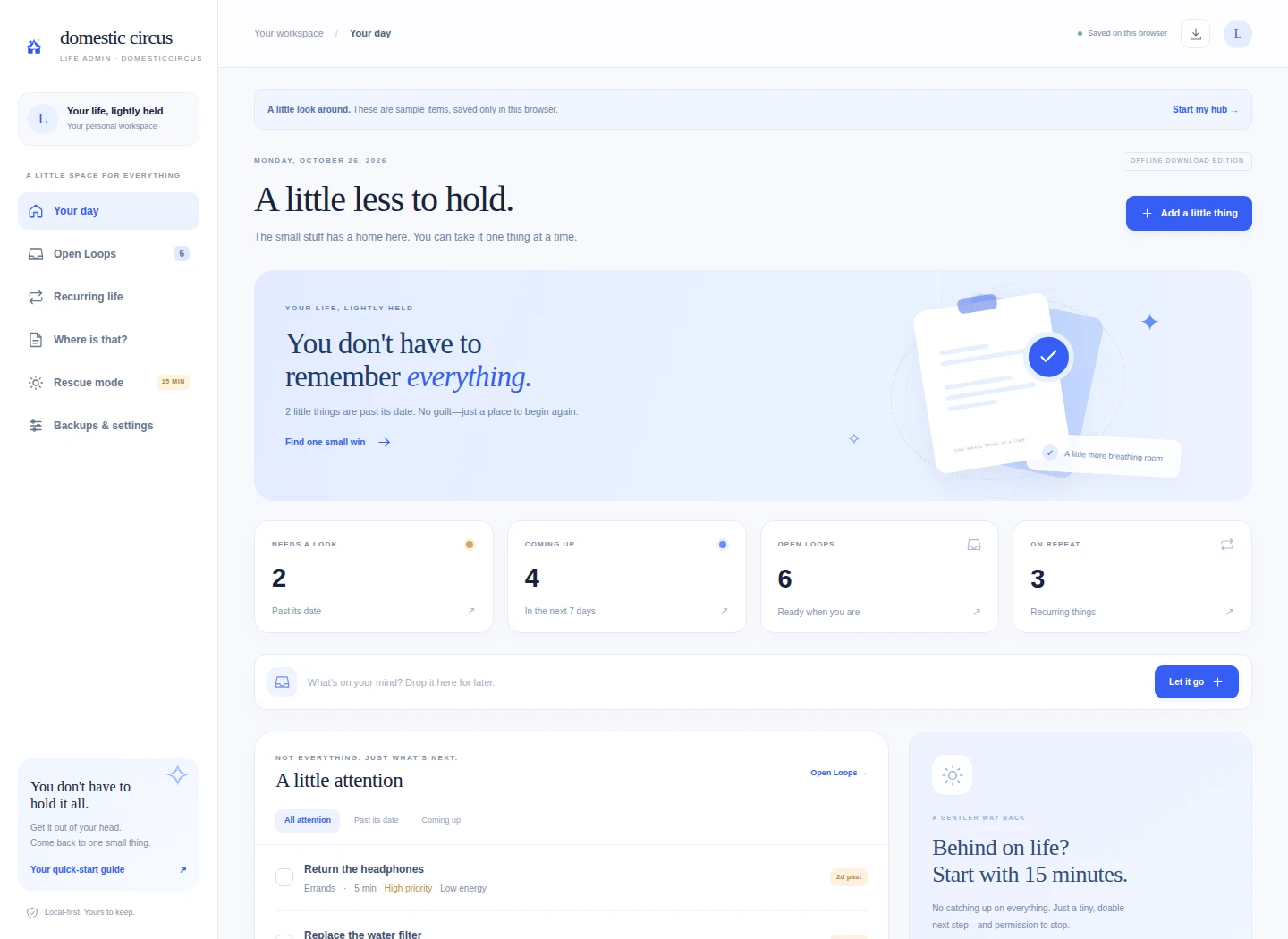
See the dashboard ↗A short list of doable next steps. A quiet in-page timer. A low-energy option. And permission to call one small win enough.
Take a small reset ↗A downloadable mini app, not a spreadsheet, a Notion template or another account to manage.
Read the two-page quick-start ↗Extract your ZIP and open the HTML file in desktop Chrome or Edge. Keep it in the same folder and use the same browser.
Explore the clearly marked sample items, then start a blank hub. Capture a loose end. Give it a date only if it needs one.
Your hub saves in this browser on this device. Download a JSON backup weekly—and before moving files, updating or clearing browser data.
The complete Life Admin brings the essentials together without turning your life into a project.
Digital product · No physical item · Desktop-first
This page is a preview. No purchase or checkout is connected here.
Clear expectations are part of a calmer experience.
A ZIP containing the standalone HTML Life Admin, a two-page PDF quick-start guide, a browser-readable guide and opening instructions. It's an interactive mini app—not a physical planner, mobile app-store app or printable-only PDF.
No account or app subscription is needed. After you extract the download, the planner itself runs offline in your browser. Opening an external document link needs internet. The hosted demo is a preview, not a cloud account.
In local browser storage on your device—not inside the HTML file. Use the same browser/profile and keep the file in the same permanent folder. Moving or renaming the file, private browsing, clearing site data or changing devices may make saved data unavailable. Local-file storage depends on browser policies. Download a JSON backup weekly and before making changes; import it to move your hub manually.
The demo and layout are responsive, but the downloadable edition is recommended for a desktop or laptop using current Chrome or Edge. Phone file-preview apps may not run interactive HTML correctly. It doesn't automatically sync between devices.
No. The dashboard surfaces dates when you open it. There are no background notifications, calendar connections, bank connections or automatic payments. Completing a recurring item moves its scheduled date forward one interval, so missed older occurrences may still need a look.
It's an organizer, not an encrypted vault. Keep descriptive document names, locations and links only. Don't store passwords, financial account numbers, identity numbers or private medical records. Your actual files remain wherever you securely store them, and a saved link doesn't change their access permissions. JSON backups include your notes and links—keep them private.
You don't have to get your whole life together today.
Find your first little win ↗Or start with the quick guide ↗